Accelerate ASU

Partner Marketing Toolkit

Welcome partners! We're thrilled to collaborate with you in delivering college courses and opportunities to your students. Here, you'll discover a wealth of resources tailored for marketing purposes, along with comprehensive guidelines for upholding the ASU brand and executing strategic communications. To kickstart your journey, we've assembled pre-made materials for your convenience. 

Asset 16@2x

Partner Toolkit


Here, you'll find assets and resources to use in your presentations, emails, social media and more. To view and download all assets in Google Drive, click here.


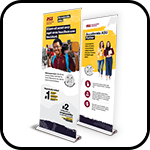
Pull-up banners

Pull-up banners

 
Want an Accelerate ASU pull-up banner for your promotions? We’ll customize one for you — click below to get started!


Download pull-up materials
thumbnail-01-1

Flyers

Share with parents to communicate the benefits of Accelerate ASU.


Download flyers
thumbnail-02-1

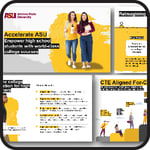
Presentation deck

Use this deck to present an overview of the benefits and process of Accelerate ASU and Universal Learner Courses to students and families.


Download deck
thumbnail-05-1

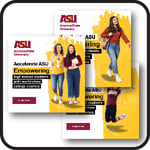
Social media graphics

Share these graphics on your social media channels.


Download graphics
thumbnail-03-1

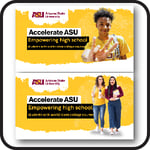
Email banner images

Incorporate these feature banners in your email communications.


Download email header
thumbnail-04-1

Website images

Use these header images on your landing pages.


Download website image
thumbnail-06-2

Images

ASU-approved images for use in all marketing channels.


Download images
Boilerplate-for-PR

Messaging language

Standardized text to convey the key messages and benefits of Accelerate ASU in your communications.


Download messaging language
Video1

Videos

Share these videos to provide an engaging overview of Accelerate ASU, showcasing its features and success stories.


Download Videos
Asset 190@2x

Case studies

Partner success stories highlighting implementation models, student impact and scalable dual enrollment strategies.


Download case studies
IB-Materials

IB materials

If you’re a partner utilizing the International Baccalaureate CP Pathway, utilize these resources to inform and support your students and families.


Download IB materials
Asset 191@2x

Partner readiness assessment

Self-assessment tool to evaluate program readiness across state compliance, facilitation, student success, funding, pathway design and technology.


Download assessment tool
Asset 192@2x

School onboarding guide

Step-by-step implementation guidance for administrators and facilitators, including staff setup, student onboarding and partner portal activation.


Download guide
Asset 194@2x

ULC student experience

Comprehensive walkthrough of the full ULC student journey, from registration and ASURITE activation to course enrollment, credit conversion and transcript requests.


Download training deck
Asset 195@2x

Learner support playbook

Guidance for facilitators and school staff on supporting students in ULC courses, including cohort models, study strategies, academic supports and career exploration resources.


Download playbook
Asset 196@2x

Partner portal overview

Step-by-step slide deck covering portal access, reporting tools, learner management and partner resources.


Download deck
Asset 197@2x

Request Canvas observer access

 Request observer access to view learner assignment grades directly in Canvas. Available to active Partner Portal administrators once student enrollment is complete. 


Submit request
Asset 198@2x

Checking course transferability guide

Practical instructions for confirming transfer policies, course equivalencies and transcript requirements.


Download guide
Asset 199@2x

ULC Learner Experience - Credit Conversion

Step-by-step guidance to help students convert earned grades to official ASU credit and request transcripts.


Download deck
Asset 201@2x

Requesting your ASU transcript

Step-by-step instructions for students to request official or unofficial ASU transcripts for college applications.


Download guide
Asset 202@2x

Partner success webinar library

On-demand sessions covering implementation strategies, reporting tools, facilitation best practices and end-of-course processes.


Access webinar recordings
Asset 203@2x

Session-based course schedule

 Airtable outlining 8- and 16-week session-based ULC courses to support master schedule planning, Gold alignment and structured implementation.  


View session-based courses
Asset 204@2x

On-demand course schedule

Airtable detailing self-paced ULC course options to support flexible scheduling, pathway design and year-round planning. 


View on-demand courses
Asset 19@2x

ULC HS Partner Overview Flyer

Use this for ULC HS Partner Overview Flyer


Download Flyer
Asset 20@2x

ULC Two-Pager

Use this as a handout during and prior to events. 


Download ULC Two-Pager
Asset 27@2x

ULC Deck

Use this when presenting to students and families


Download ULC Deck
Asset 26@2x

ULC Social Graphics

Use these for your social posts with the approved copy samples.


Download ULC Social Graphics
Asset 25@2x

ULC email header

Use this in your outreach emails. 


Download ULC email header
Asset 21@2x

Half-page ad/postcard

Use this for Half-page ad/postcard


Download Half-page ad/postcard
Asset 22@2x

Google IT Flyer

Use this for Google IT Flyer


Download Google IT Flyer
Asset 34

Images

Use this for assets


Download Images

Graphics and brand standards: 


Follow pre-approved use cases for graphic usage:
  • Inclusion in your outreach emails to learners, parents and staff. 
  • Inclusion in your outreach handouts to learners, parents and staff. 
  • Leveraging any of our provided templates in the toolkit.
Please contact us via your partner liaison if you have any questions or marketing materials for approval.
thumbnail-07

Download Accelerate ASU logo


Download Accelerate ASU logo
Asset 24@2x

Brand standards

Review our brand standards for graphic usage and spacing. 


Download brand standards

Strategic communications collaboration

Asset 29@2x

Please engage your Partnership Manager at the outset of the partnership to determine strategy and timeline of distribution of publicity tools, including press release, media advisory, outreach to media, articles, etc.

Publicity; Announcements; Promotions: The Parties will announce and promote the Program as part of their outreach and public relations efforts. Neither Party will issue a press release, public statement, advertisement or announcement regarding this Agreement or the Program, or use the logos or trademarks of the other Party, without the prior input and written consent, signed by an authorized signatory of the other Party. Use of either Party's marks must comply with the owning Party's trademark standards and guidelines, including using the "®" indication of a registered trademark where applicable.